





AI-powered browser extension combining multiple AI tools into one unified interface.


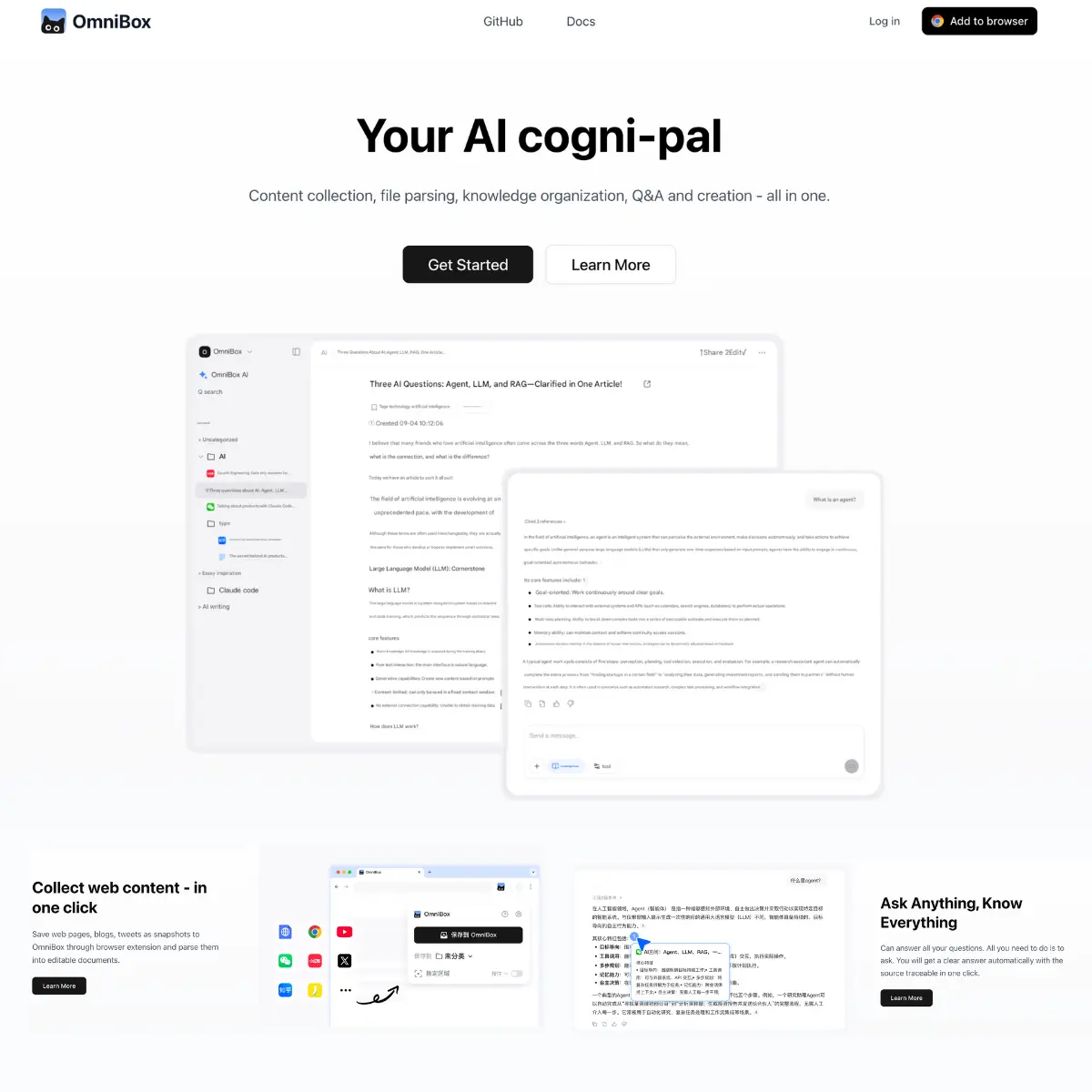
In 2026, OmniBox refers to two primary advancements in the tech ecosystem: an AI-powered knowledge management platform and the evolution of the Google Chrome address bar (AI Mode).The standalone OmniBox AI platform is an all-in-one information hub designed to collect, parse, and organize data from across the web and your local files. It serves as a “central nervous system” for your research, turning unstructured content into actionable knowledge.Multimodal Collection: Capture web pages, PDFs, text, voice notes, and even WeChat/Slack messages into a unified database.AI Knowledge Base: Unlike a standard folder, it “reads” your data, allowing you to chat with your entire document library.Integrated Workflow: Bridges the gap between research and creation by helping you outline and draft content based on your collected sources.
Intelligent Content ParsingWeb-to-Doc Transformation: Instantly convert messy web pages into clean, editable documents, stripping away ads and irrelevant UI elements.File Analysis: Upload complex PDFs or spreadsheets; the AI structures the data and identifies key themes or anomalies.Voice-to-Knowledge: Supports quick voice captures on mobile, which are transcribed and automatically categorized into relevant project folders.AI Search & ChatPrivate LLM Training: Ask questions specifically about your data. The AI provides answers cited directly from your uploaded sources.Hybrid Search: Search across both your private database and the public web simultaneously to get the most comprehensive results.Flash Capture: A feature for iOS/mobile that allows you to “toss” an idea or image into the OmniBox for later AI processing.Collaboration and SharingPublic Agent Sharing: Create an AI agent trained on a specific folder (e.g., “Company Onboarding”) and share it as a public-facing chatbot.Open API: Developers can connect OmniBox to other tools, allowing automated data collection from RSS feeds or custom webhooks.
Parallel to the standalone platform, Google has reimagined the browser’s address bar—historically called the Omnibox—with a dedicated AI Mode.Contextual Overviews: While browsing a page, you can ask the Omnibox questions about the content you’re looking at without leaving the tab.Agentic Tasks: Tell the Omnibox to “book a flight” or “find a recipe with what I have,” and it uses Gemini to perform multi-step actions on your behalf.Natural Language History: Instead of searching through dates, you can ask, “Where was that site I saw last week about walnut desks?”
OmniBox is designed for users suffering from information overload. It is the bridge between finding information and owning it.Efficiency: Replaces manual note-taking and bookmarking with automated, AI-indexed archiving.Accuracy: By using RAG (Retrieval-Augmented Generation) on your own files, it minimizes AI hallucinations by sticking to the facts in your database.Privacy: Most enterprise versions offer “Local Database” options where your sensitive data is processed without leaving your secure environment.
Researchers & Students: To manage hundreds of sources and generate summaries or citations instantly.Content Creators: For maintaining a “Swipe File” of ideas and using AI to brainstorm new angles based on past research.Knowledge Workers: To centralize company SOPs, meeting notes, and project documents for quick team retrieval.Developers: To utilize the open-source nature of the platform (available on GitHub) for custom AI workflows.
The platform typically operates on a Freemium model.PlanFeaturesMonthly Cost (Est.)FreeBasic parsing, limited file uploads, and standard AI search.$0ProUnlimited collection, AI voice capture, and advanced LLM access.$12 – $15TeamShared folders, collaborative AI agents, and API access.$30 /userSelf-HostedFor privacy-conscious users wanting to run OmniBox on their own server.Open Source (Free)
ProsExceptional at turning messy web content into structured data.Open-source options provide a high degree of transparency and control.The “Flash” capture feature is one of the fastest ways to save ideas on the go.ConsCan have a steeper learning curve compared to simple bookmarking tools.Requires a consistent habit of “feeding” the box to make the AI truly useful.
OmniBox is the premier choice for anyone looking to build a “Second Brain” that actually thinks. Whether you use the open-source platform or Google’s integrated browser features, it represents the shift from searching for information to having information work for you.