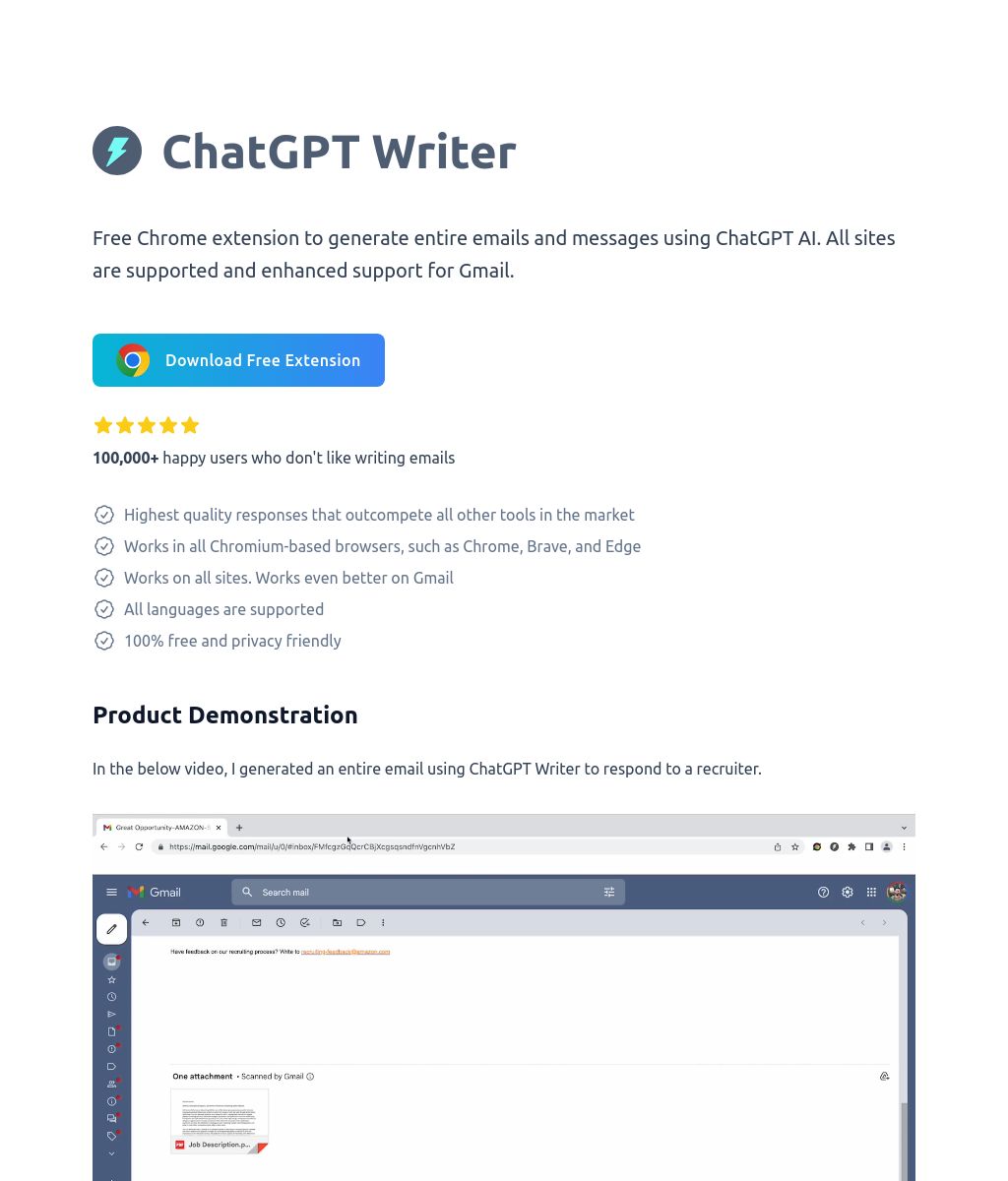
ChatGPT Writer is a popular, privacy-focused browser extension designed to help users draft emails and messages across any website. It is specifically engineered to integrate seamlessly into platforms like Gmail, Outlook, and LinkedIn, allowing users to generate high-quality, contextual responses with a single click. In 2026, it remains a top choice for professionals who want the power of LLMs without the friction of switching between tabs.
What is ChatGPT Writer?
ChatGPT Writer is a “writing-on-demand” tool that lives in your browser’s toolbar and within the compose windows of your favorite communication apps. It uses advanced AI to read the context of an email thread or a message and suggest an appropriate response. Unlike many other AI assistants, ChatGPT Writer is known for its Privacy-First architecture, ensuring that your data isn’t used for training models unless you explicitly opt-in.
Key Features of ChatGPT Writer
- One-Click Email Replies: When you open an email in Gmail or Outlook, the tool appears as a small icon. Clicking it generates a full, contextually accurate reply based on the sender’s message.
- Universal Compatibility: While it has deep integrations for mail clients, it works on any website. You can highlight text on a blog or a forum and use the extension to summarize it or write a response.
- Multilingual Support: Supports writing and translating in over 25+ languages, making it a powerful tool for international business correspondence.
- Custom Personas & Tones: Set your preferred writing style—whether it’s “Professional,” “Friendly,” “Urgent,” or “Short & Sweet”—to ensure the AI matches your personal brand.
- Privacy-First Design: One of the few extensions that emphasizes that your emails are not stored on their servers. It serves as a secure bridge between your browser and the AI model.
- Gmail Native Integration: The interface blends directly into the Gmail “Reply” box, making it feel like a built-in feature of the Google ecosystem.
Why Choose ChatGPT Writer?
- Frictionless Workflow: You never have to leave your inbox. There is no copying and pasting into a separate ChatGPT tab.
- Contextual Awareness: Because it can “read” the email you are replying to, it generates responses that are significantly more accurate than generic AI prompts.
- Time Efficiency: It can reduce the time spent on “routine” emails by up to 80%, allowing you to focus on high-priority tasks.
- Free-to-Use Core: Offers a robust free version that satisfies the needs of most individual users, with an optional “Pro” tier for higher limits and advanced models.
Who Should Use ChatGPT Writer?
- Busy Professionals: Who handle high volumes of daily correspondence and need to maintain a fast “Inbox Zero” workflow.
- Customer Support Agents: To draft polite, helpful, and accurate responses to common customer inquiries quickly.
- Job Seekers: To craft personalized cover letters and LinkedIn outreach messages that stand out to recruiters.
- Non-Native Speakers: To ensure their emails are grammatically perfect and follow professional etiquette in English or other languages.
Pros and Cons of ChatGPT Writer
Pros
- The best-in-class integration for Gmail users.
- Strong commitment to user privacy compared to “all-in-one” AI sidebars.
- Very lightweight extension that doesn’t slow down your browser.
- Incredible accuracy when generating replies based on existing threads.
Cons
- Primary focus is on short-to-medium form text; less ideal for writing 5,000-word whitepapers.
- Requires a stable internet connection to communicate with the AI models.
- Features like “unlimited messages” or “GPT-4/GPT-5 access” typically require the Pro subscription.
Final Wording for ChatGPT Writer
ChatGPT Writer is the premier choice for the professional who treats their inbox like a mission control center. It removes the “blank page syndrome” from communication, ensuring you always have the right words at the right time. In 2026, as AI becomes an expected part of the digital toolkit, ChatGPT Writer stands out for its simplicity, speed, and respect for user privacy. It is the essential bridge between the power of AI and the art of professional conversation.